Guides
Walkthroughs and how-tos for getting the most out of Incogcraft.
Getting Started
- Open Minecraft (I'd hope you already did this)
- Go to 'Multiplayer'
- Click 'Add Server'
- Add the server IP and Name (play.incogcraft.net & Incogcraft/whatever name you'd like to put for it)
- Once you spawn in, you should be in the lobby/hub. In front of you, there should be an End Portal looking gate.
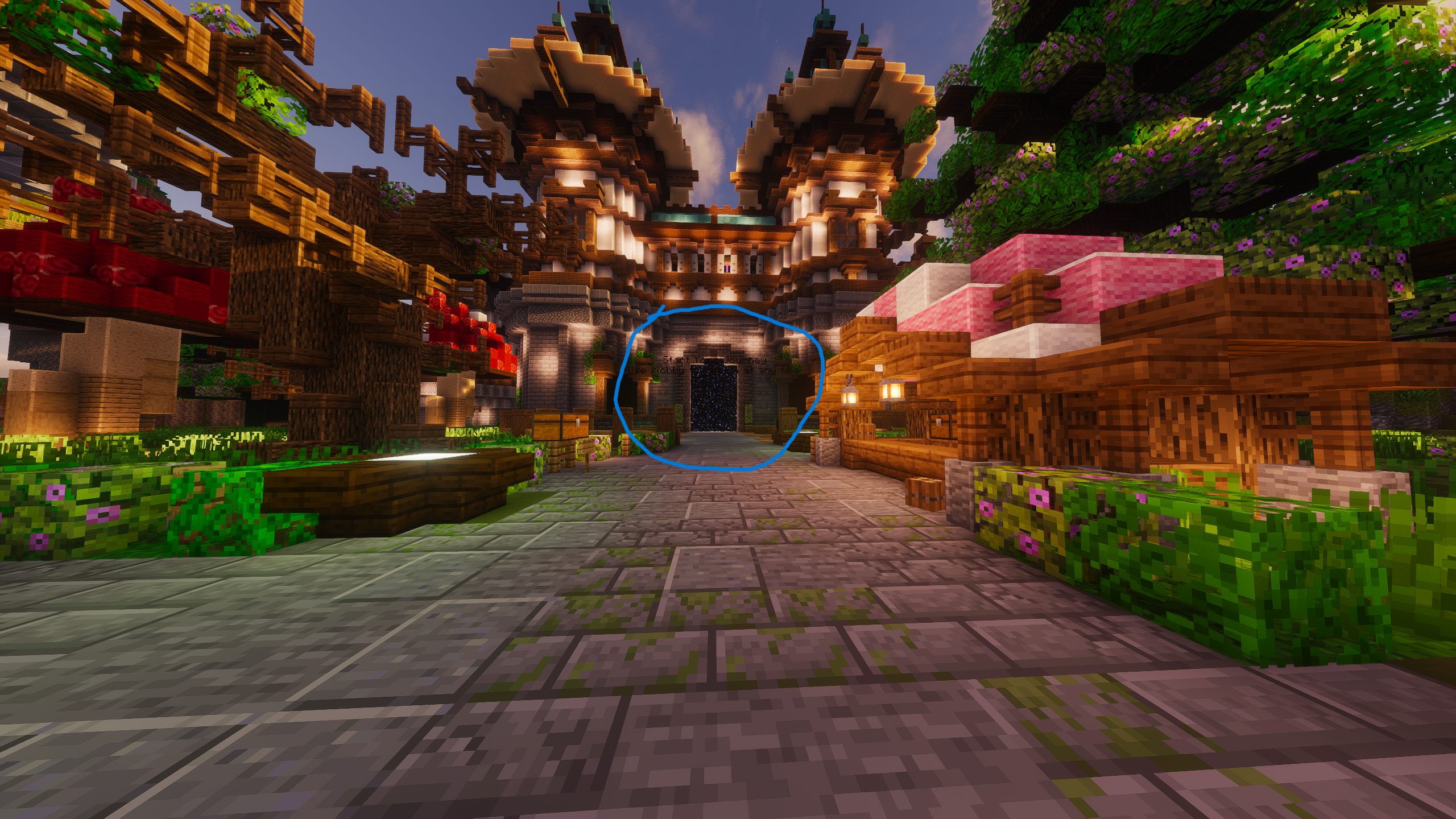
- Going through that portal should RTP (Random Teleport) you to a random location within the world, allowing you to build, explore, and create your own area without any worry of other players!
Tip: Make sure to claim your land and builds with /claim (for more info on the /claim command, please check the Commands page!)
Claiming Land
On our server we use a custom plugin to handle claims, our claims plugin is a bit unique. What it does is allows players to be 'Aggressive' or 'Peaceful' Aggressive players can raid other aggressive players and they can be raided themselves. Peaceful players cannot raid, nor can they be raided.
To raid other Aggressive players, you need to use the Claim Breaker, and a lot of TNT. You cannot break blocks in peoples claims normally, you HAVE to use TNT to raid them. If they have obsidian or a non-breakable block with TNT, you can break it with the Claim Breaker.
The base command for our claims plugin is /claim
To get a 'Claim Core' which allows you to claim blocks, run /claim core
After running the command you should recieve a Claim Core, wherever you place this, it will claim a 48x48x48 area around the Claim Core and it will follow whatever type of claim you have (e.g: Aggressive or Peaceful)
You may expand the Claim Core by playtime, it has a max size of 192x192x192, it requires 2500 blocks which you earn 5 of every minute. After about 8 hours of playtime, you should recieve all 2500 blocks needed to increase the Claim Core size.
You may also have more than one claim, at the cost of: 5 End Crystals & 750 blocks.
Info: For more detailed info, please check out the Commands and Custom Plugins page!
Note: The extra claim core doesn't keep the original claim core size or size purchases.
Making Money
Just like claims, we use a custom plugin to manage the economy and money, it lets us handle and edit the shop easily.
/sell opens a GUI and allows you to sell items, /sellwand gives you a wand that allows you to bulk sell chests
Items have a limited stock in the shop, selling items adds to the stock and lowers the price because theres more stock than demand, buying increases the price and lowers the stock because of the demand increase.
/ah opens up the Auction House, allowing you to create an auction of 2 choices: BIN (Buy It Now) and Auction.
BIN (Buy it now) means that the price it's set at is it's only price. When purchased/bid on, it is purchased and removed from the Auction House.
A normal Auction works as you would expect, the starting bid is it's flat value, then slowly goes up as players bid on it.
Info: For more detailed info, please check out the Custom Plugins page!
Note: Some of this may change over time and some functions may be reworked!
Want a guide written for something specific? Ask in Discord.